
Local PDF Merger
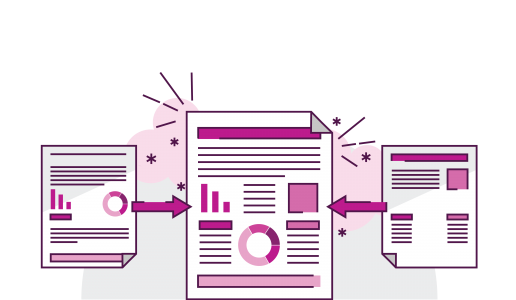
Add multiple PDFs, reorder them (drag or use buttons), check which to include, then merge — all locally in your browser. Files never leave your machine.
About this Local PDF Merger
Managing PDF files can feel frustrating when you have many documents scattered in different places. Sometimes you simply want to bring them all together — receipts, reports, certificates, photos turned into PDFs, or work files. Most online tools can help, but not everyone wants to upload personal files to a website. Many people prefer something private and secure that runs directly on their own computer. That is exactly why this local PDF merging tool exists.
This tool lets you combine multiple PDF files into one single document without installing any software or sharing anything online. Everything happens inside your own browser, on your own system. You can double-click the HTML file, open it in Chrome or any modern browser, and start using it instantly. There is no setup, no account, and no tracking — just a clean and simple tool that works immediately.
The interface is easy to understand. You can click the Select Files button or drag your PDF files directly into the box. Once the files appear in the list, you have full control. You can reorder them by dragging, move files up or down using buttons, or remove any file that you do not need. Each file shows its name, its size, and how many pages it contains. There are also checkboxes that let you choose which files to include in the final merged output. This makes it very convenient when you are working with a long list of PDFs but want to exclude a few without deleting them.
Another helpful feature is the progress bar. It gives you feedback while the tool reads and processes the files. This makes the experience smooth and reassuring, especially when merging large documents. You can also give your final merged file a custom name, such as “Project_Report.pdf” or “Official_Documents.pdf,” before you download it.
The best part of using this tool is privacy. Your files never leave your computer. They are not uploaded to any server, and nothing is stored anywhere. Everything happens in the browser using a library called pdf-lib, which runs entirely offline once loaded. This makes the tool perfect for sensitive documents like IDs, certificates, invoices, or office files you don’t want to upload online.
This tool is also ideal for people who work frequently with scanned PDFs or handwritten documents. You can merge old pages, update folders, or create a single final PDF to share or archive. Teachers, office workers, accountants, photographers, students, and freelancers all benefit from this kind of simple tool.
Overall, this PDF merger offers privacy, speed, and complete control. It is lightweight, hassle-free, and works instantly. If you want a fast, secure, and offline way to combine PDFs, this tool gives you everything you need in one clean interface.